> For the complete documentation index, see [llms.txt](https://reference-guide.gitbook.io/crm-back-office-user-guide-abridged/llms.txt). Markdown versions of documentation pages are available by appending `.md` to page URLs; this page is available as [Markdown](https://reference-guide.gitbook.io/crm-back-office-user-guide-abridged/5.-clients/deleting-and-suspending-clients.md).
# Deleting & Suspending Clients
{% hint style="info" %}
This is an abridged version of the user guide, highlighting essential features. To access the full version with detailed steps, kindly reach out to your dedicated Account Manager.
{% endhint %}
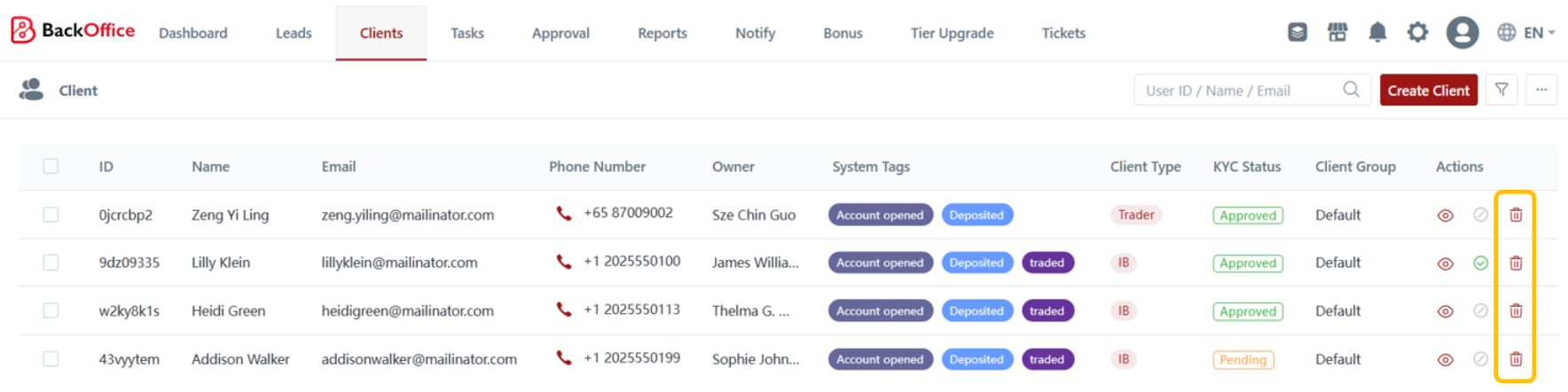
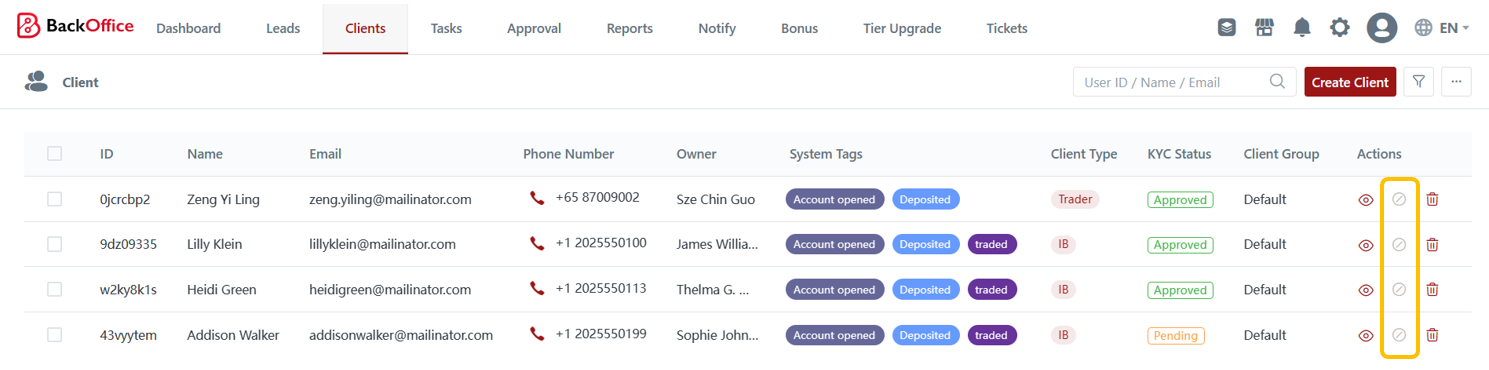
Brokers can delete or suspend client accounts.
1. Deleting an account entail removing all client data and information from the CRM. Once you delete an account, you will not be able to restore the client data.
2. Suspending an account prevents clients from logging into the CRM while still retaining their information within the system.