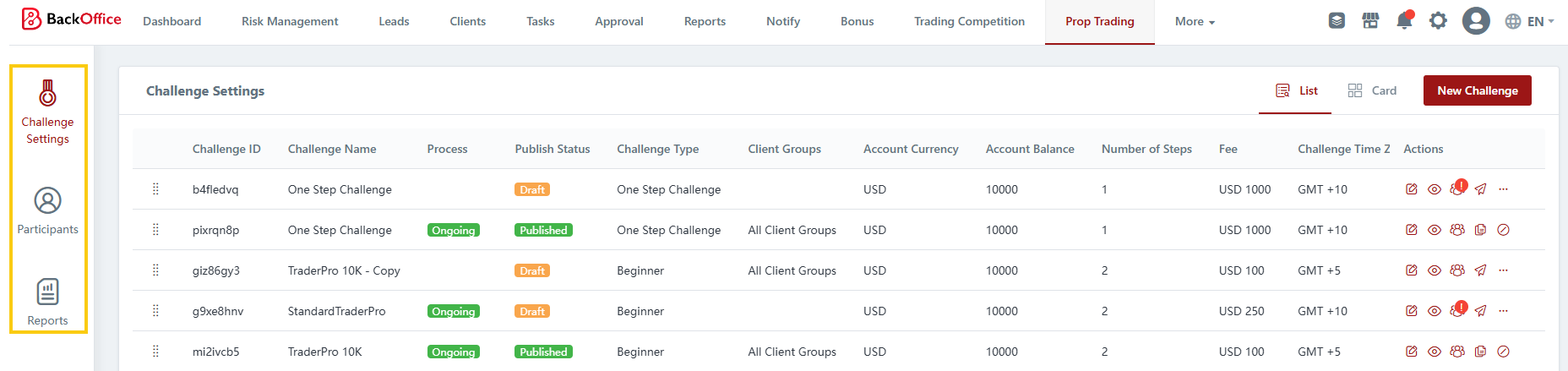
# Prop Challenge Menus
{% hint style="info" %}
This is an abridged version of the user guide, highlighting essential features. To access the full version with detailed steps, kindly reach out to your dedicated Account Manager.
{% endhint %}
The Prop Trading system is organized into the following sections:
* **Dashboard:** Experience visibility into your prop trading operations, including financial metrics, participant engagement, and trader success rates.
* **Challenge Settings**: Configure and customize your prop challenges by setting the parameters and rules.
* **Participants**: Access detailed information about registered participants and monitor their progress in the challenges.
* **Reports**: Generate comprehensive reports on challenge statistics, including trade history, commission payouts, and profit-sharing distribution.
You can easily navigate between these sections using the side navigation menu
---
# Agent Instructions: Querying This Documentation
If you need additional information that is not directly available in this page, you can query the documentation dynamically by asking a question.
Perform an HTTP GET request on the current page URL with the `ask` query parameter:
```
GET https://reference-guide.gitbook.io/crm-back-office-user-guide-abridged/13.-prop-trading/prop-challenge-menus.md?ask=
```
The question should be specific, self-contained, and written in natural language.
The response will contain a direct answer to the question and relevant excerpts and sources from the documentation.
Use this mechanism when the answer is not explicitly present in the current page, you need clarification or additional context, or you want to retrieve related documentation sections.