# Deposit
You can deposit funds into your wallet or your trading accounts. To deposit funds, follow these steps:
{% tabs %}
{% tab title="Step 1" %}
Click “Deposit”.\
\

{% endtab %}
{% tab title="Step 2" %}
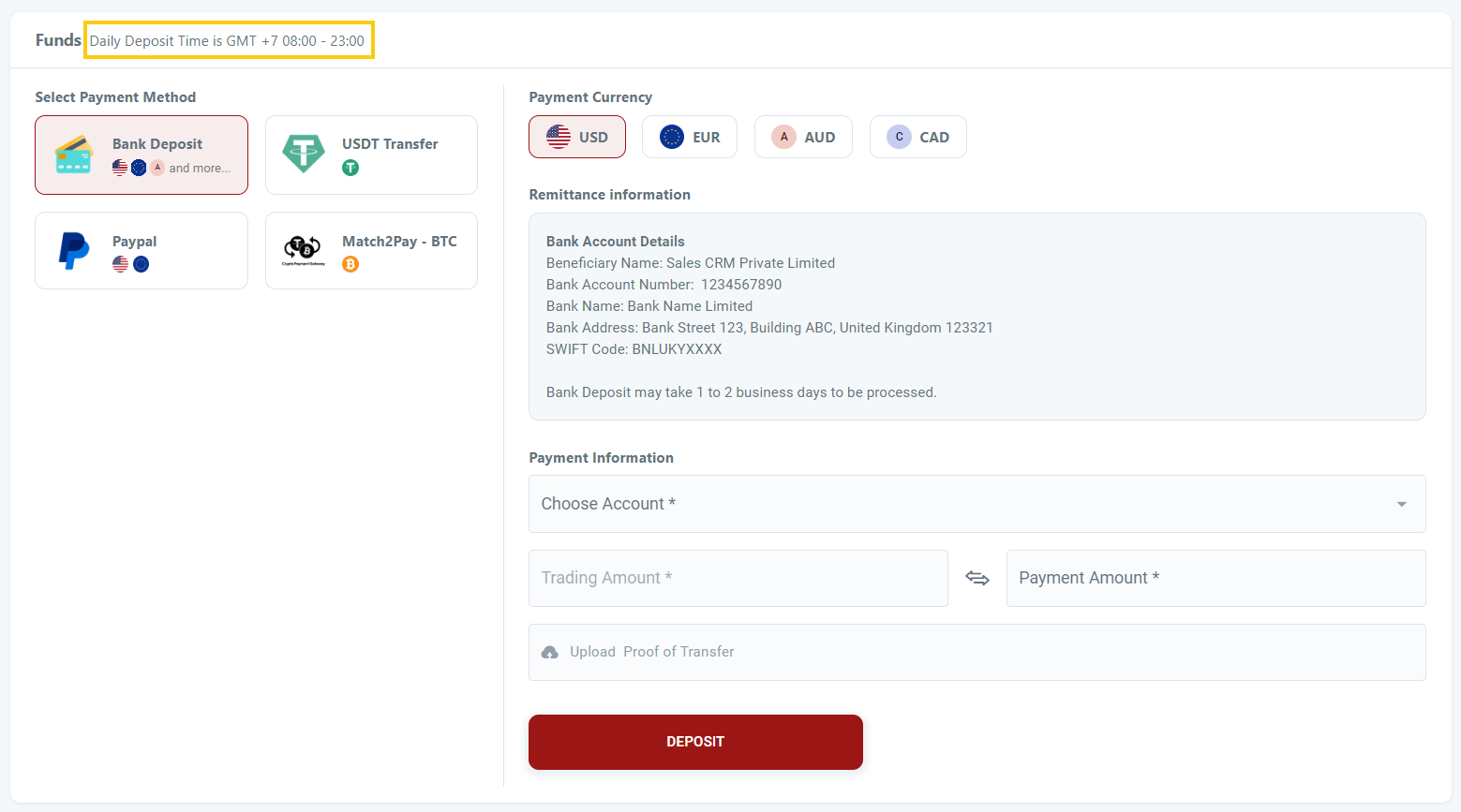
You will need to take note of the daily deposit time (if any).
* This timeframe indicates the time period in which deposit requests can be submitted.
* You will not be able to submit the deposit request outside the deposit timeframe set by the broker.
{% endtab %}
{% tab title="Step 3" %}
1. You will be able to view all payment methods accepted and select your preferred payment method.
2. After selecting your preferred payment method, you will have the option to choose your preferred currency.
3. The displayed payment details will vary based on the selected payment method and your deposit configuration. Each deposit method may have distinct steps.
4. You will be required to complete the necessary fields and click "Deposit" once finished.
5. You can also easily copy deposit details using the "Quick Copy" button, reducing manual entry and minimizing errors.
{% endtab %}
{% tab title="Step 4" %}
1. After submitting the deposit request, you'll need to wait for the broker to process and approve it.
2. Regarding bank transfers, this method is considered a manual/offline funding process. Brokers must verify the funds in their bank account before approving the deposit request. For manual/offline funding methods, all requests are manually approved (i.e., brokers must approve or reject). Funds will only be deposited into your wallet or trading account upon approval.
3. For online funding methods like PayPal or other third-party Payment Service Providers (PSPs), brokers have the option to set deposit requests for automatic approval. This means that once the deposit request is submitted, the funds will be instantly deposited into your wallet or trading account.
{% endtab %}
{% endtabs %}