# Expand and Collapse Sidebar

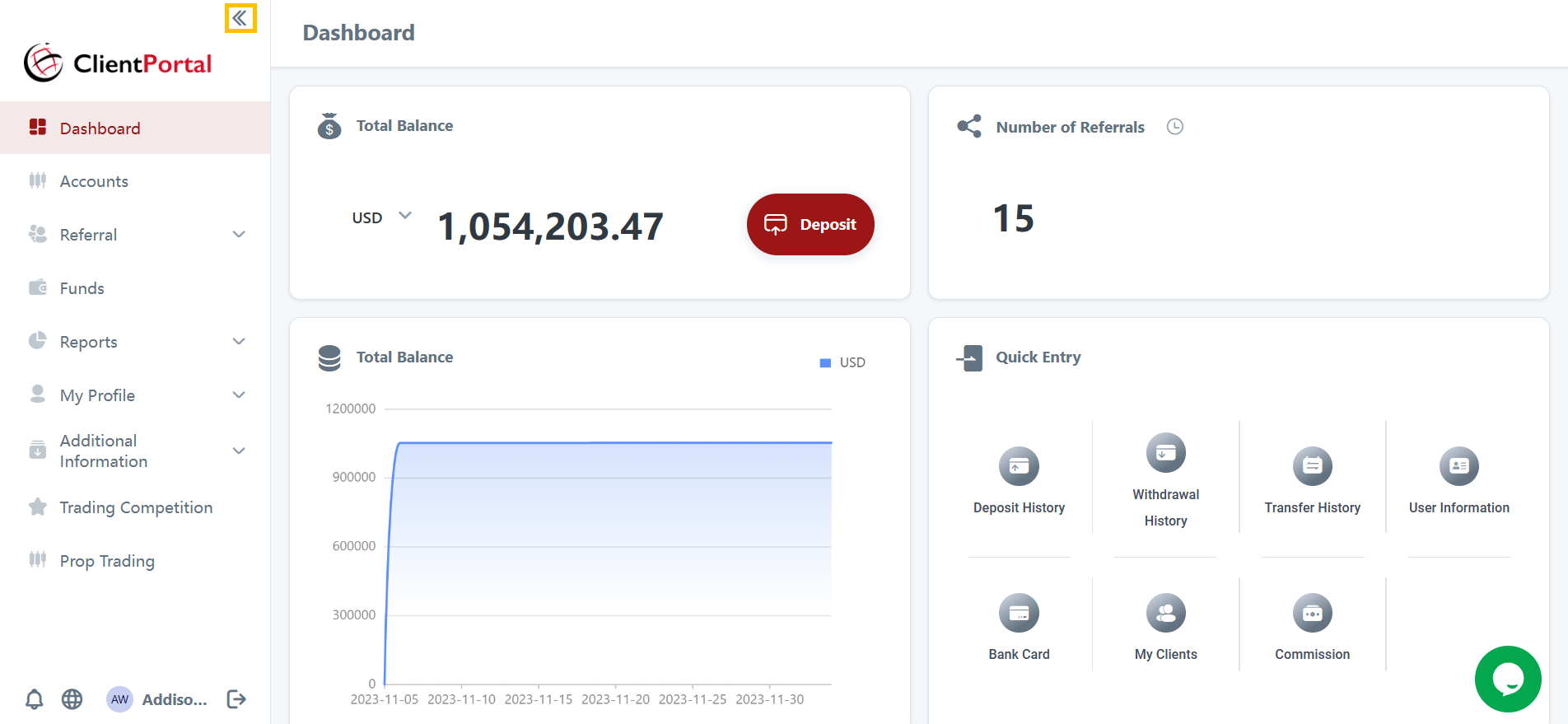
You have the option to expand or collapse the side bar on the Client Portal.&#x20;

To collapse or expand, follow these steps:

1. Click on the "Collapse" icon. <br>

   <figure><img src="https://1627048263-files.gitbook.io/~/files/v0/b/gitbook-x-prod.appspot.com/o/spaces%2FqTJvzfBkUrBZGLJjkfAN%2Fuploads%2FxPAfn6OGWA5Vvpyw6ABe%2Fimage.png?alt=media&#x26;token=cabf6ef0-2427-4306-877e-f2b8512bc0ac" alt=""><figcaption><p><br></p></figcaption></figure>
2. The side bar will be collapsed. <br>
3. Similarly, click on the "Expand" icon to expand the side bar. <br>
   <figure><img src="https://1627048263-files.gitbook.io/~/files/v0/b/gitbook-x-prod.appspot.com/o/spaces%2FqTJvzfBkUrBZGLJjkfAN%2Fuploads%2FIVkGNGr9hrkmfK4pcF3v%2Fimage.png?alt=media&#x26;token=62d62ade-7b1b-4f78-9f76-04d9e330ca46" alt=""><figcaption></figcaption></figure>
