> For the complete documentation index, see [llms.txt](https://reference-guide.gitbook.io/crm-version-release-notes/llms.txt). Markdown versions of documentation pages are available by appending `.md` to page URLs; this page is available as [Markdown](https://reference-guide.gitbook.io/crm-version-release-notes/v7.54.0-flexible-prop-commissions-and-enhanced-reporting.md).
# V7.54.0 - Flexible Prop Commissions and Enhanced Reporting
*Learn about all the details of all our recent CRM updates here.*
**Released Date - 11 September 2025**
This release introduces more configurable IB reward structures and clearer reporting across your prop challenge operations. IB commissions now support dual logic (level-based + rank-based). Reporting now separates client deposits vs. prop challenge deposits more clearly, with discounts displayed more distinctly and added referral data across dashboards and reports. The result is a sharper view of performance and payouts, with simpler tracking and reconciliation.
### Key Function Highlights
1. [**Dual IB Commission Logic**](#id-1-dual-ib-commission-logic-for-prop-fees): Level-based and rank-based IB commission schemes can now run in parallel. Rank-based commissions can be paid either in real time or on a scheduled monthly cycle, giving you tighter control over payout timing.
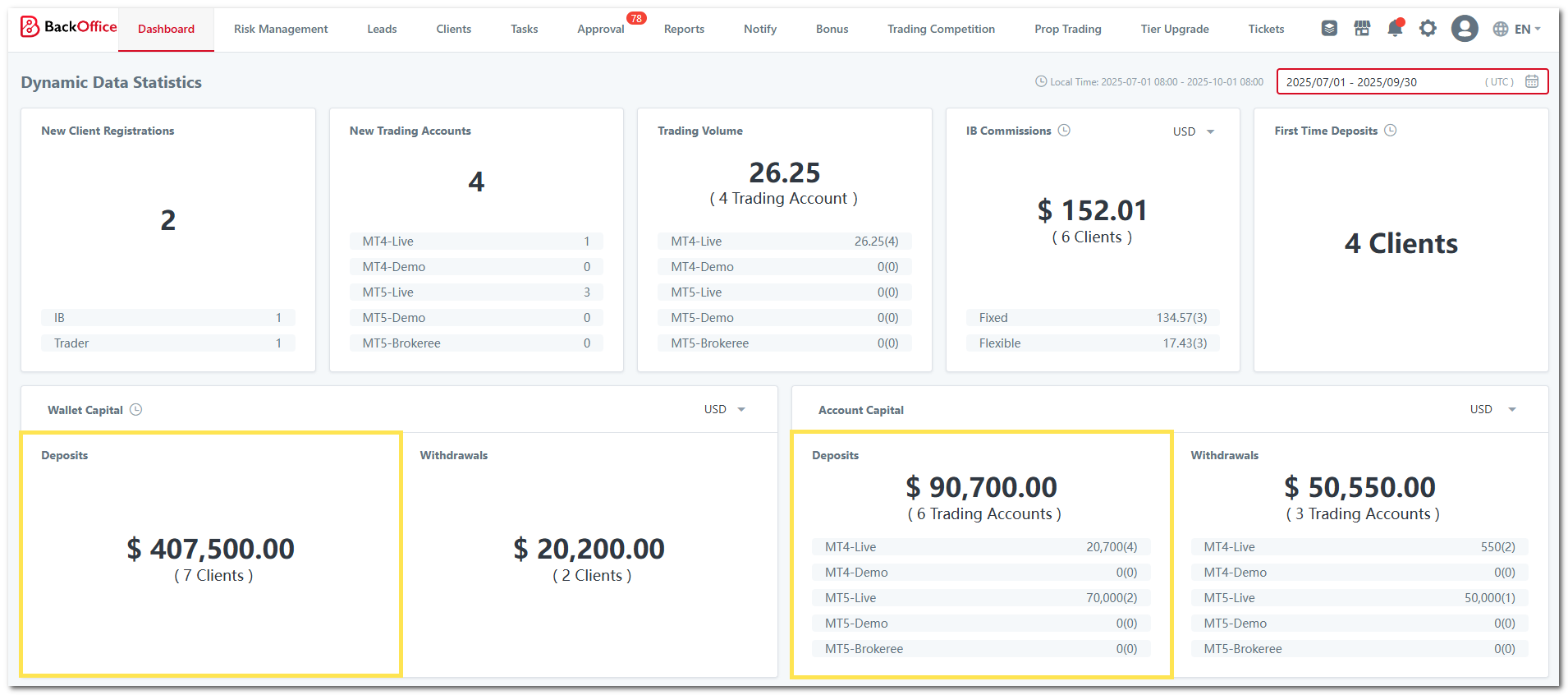
2. [**Smarter Deposit Calculations**](#id-2-smarter-deposit-calculations): To improve data clarity for brokers running prop challenges, the dashboard now highlights client-funded deposits as a dedicated figure, separated from company-funded prop challenge deposits. This provides cleaner visibility into live funding activity without mixing different deposit sources.
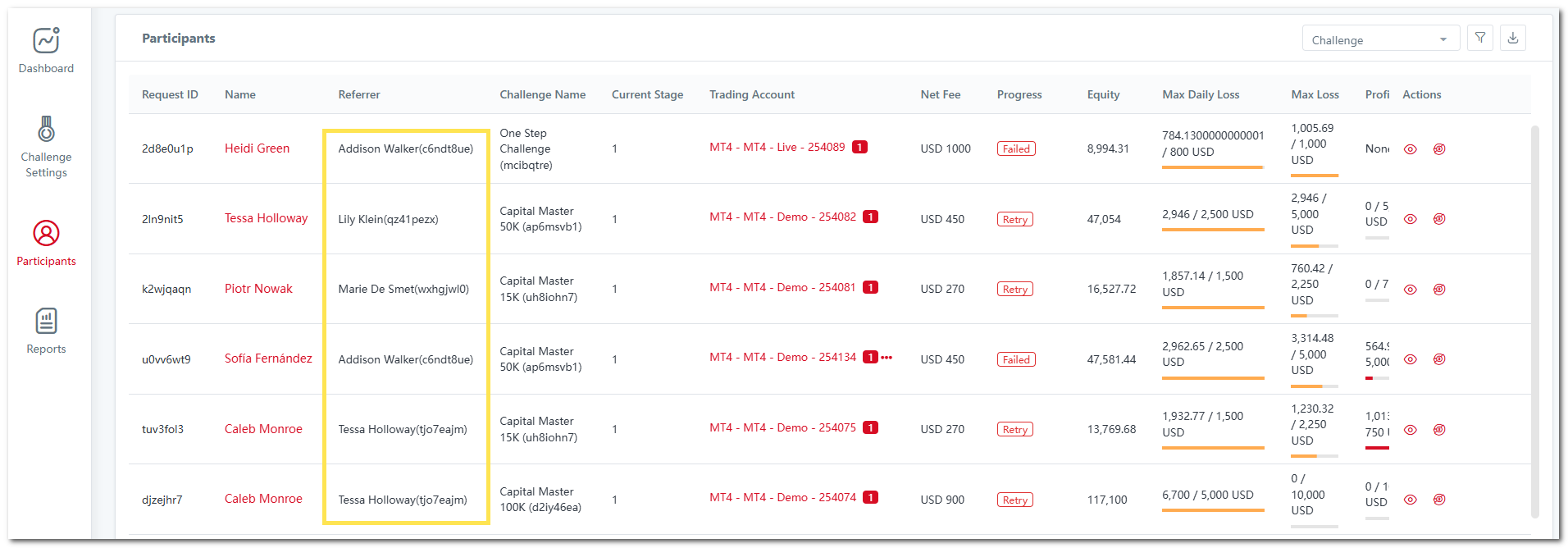
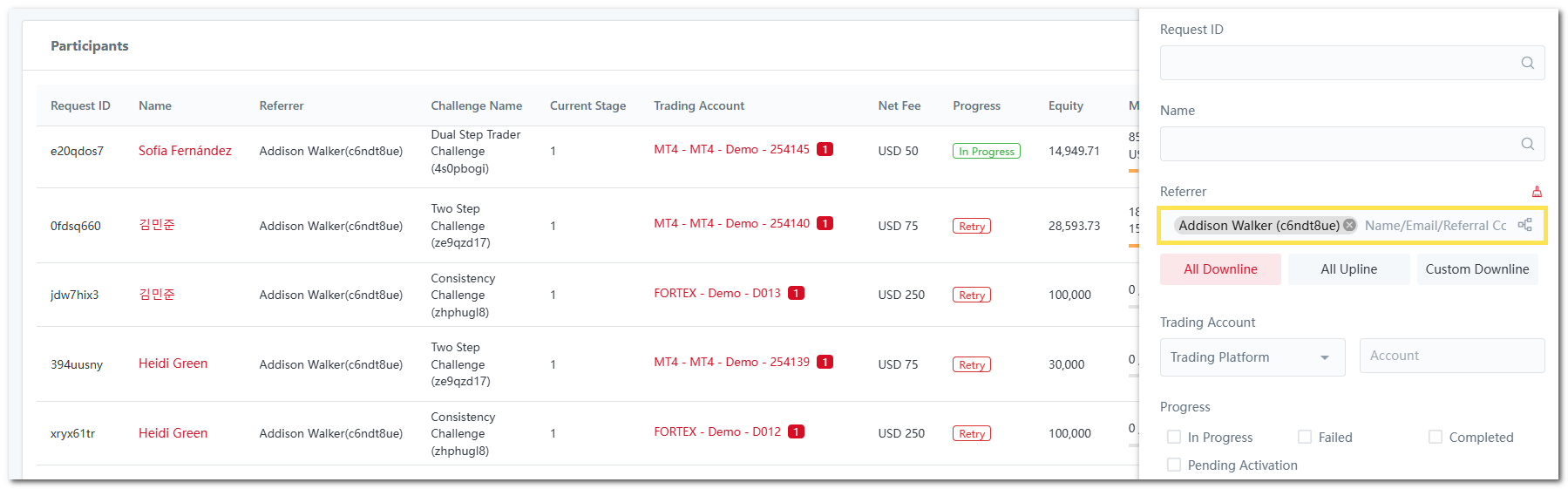
3. [**Prop Participant Referral Insights**](#id-3-prop-participant-referral-insights): Participant records now display the referring IB, with filtering options that make it easy to review referral performance and client acquisition effectiveness.
4. [**Enhanced Prop IB Commission Reporting:**](#id-4-enhanced-prop-ib-commission-reporting)
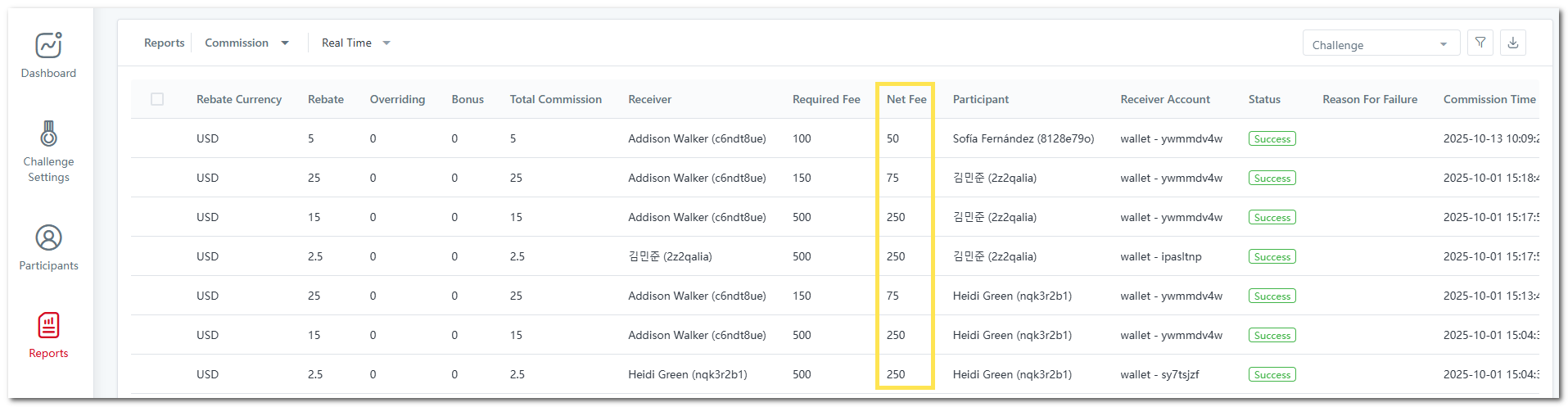
1. [**Fee Breakdown Clarity**](#a-fee-breakdown-clarity): IB commission records now include both the original prop challenge fee and the fee collected after discounts, giving a more accurate view of revenue and payout calculations.
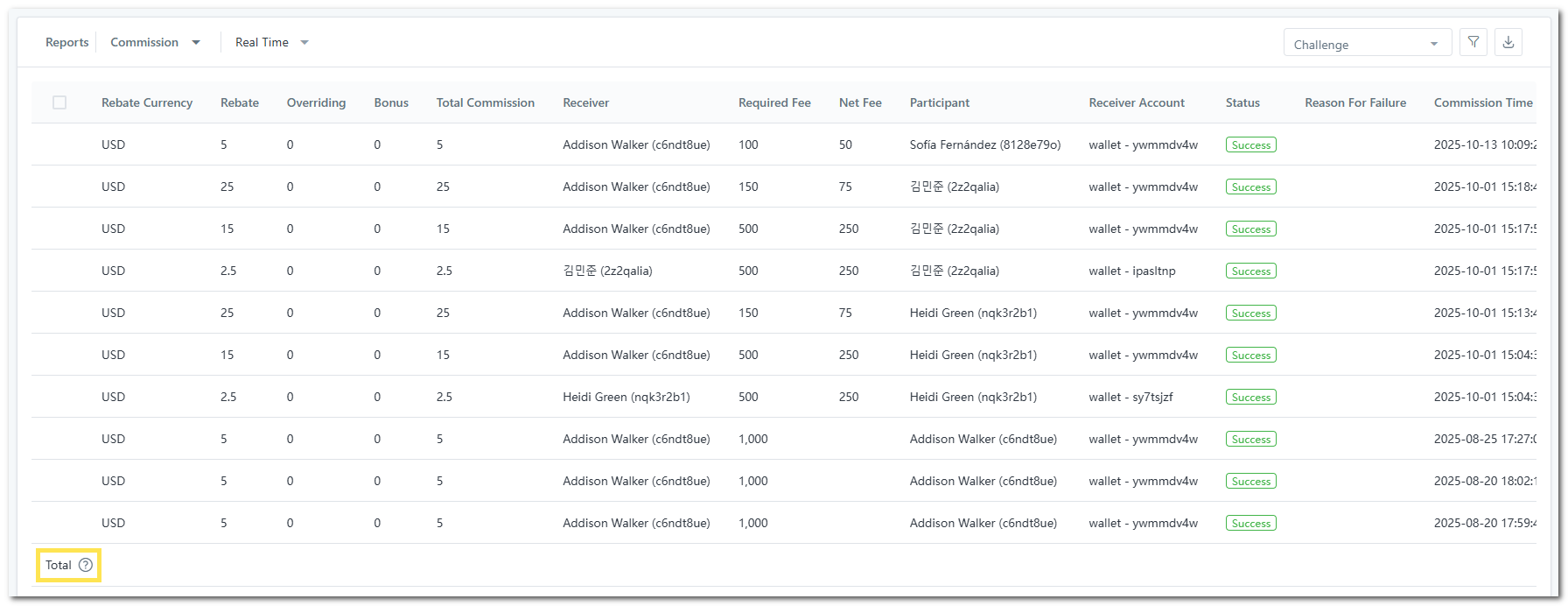
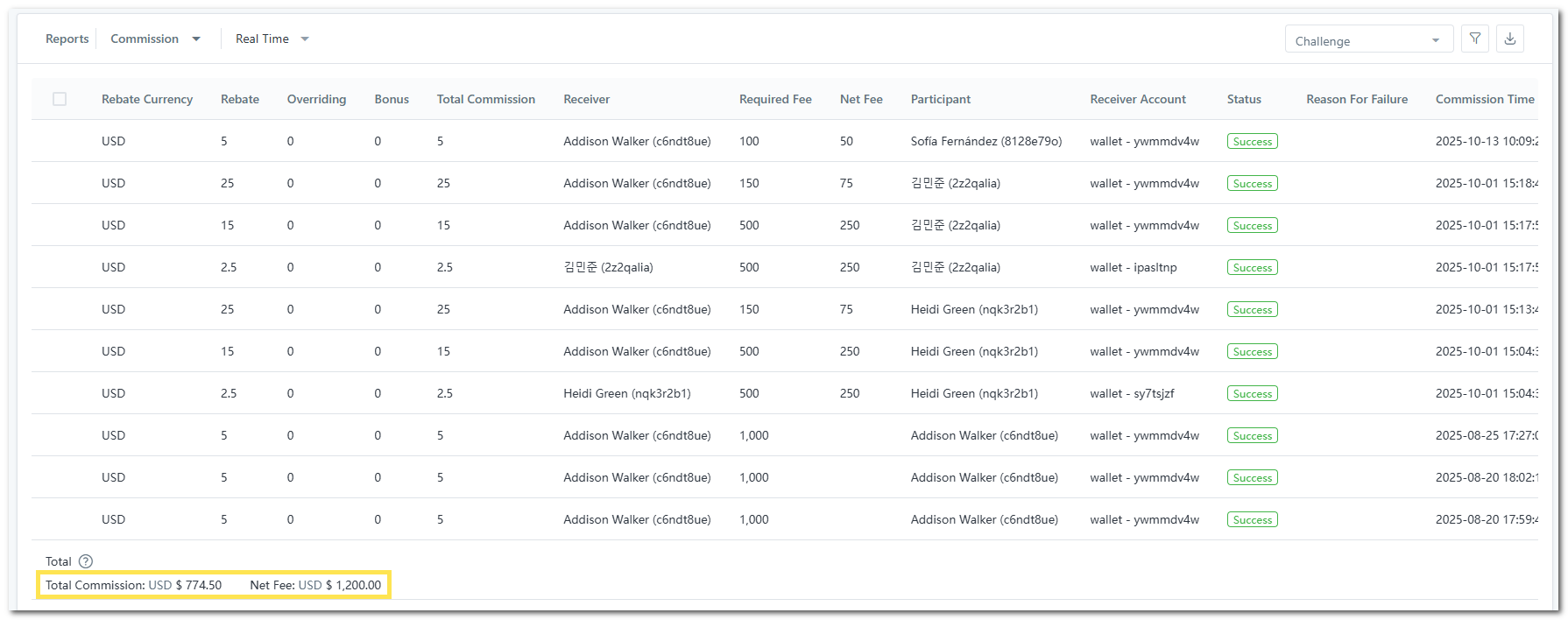
2. [**Summation Bar**](#b-summation-bar): Total fees collected and total IB commissions are displayed at the bottom of the report, allowing for quicker financial checks and easier reconciliation.
### 1) Dual IB Commission Logic for Prop Fees
Level-based and rank-based IB commission schemes can now run in parallel. Rank-based commissions can be paid either in real time or on a scheduled monthly cycle, giving you tighter control over payout timing.
#### A) Configure Commission Scheme
To configure dual IB commission for your prop challenges, follow these steps:
{% stepper %}
{% step %}
#### Create or Edit Prop Challenge
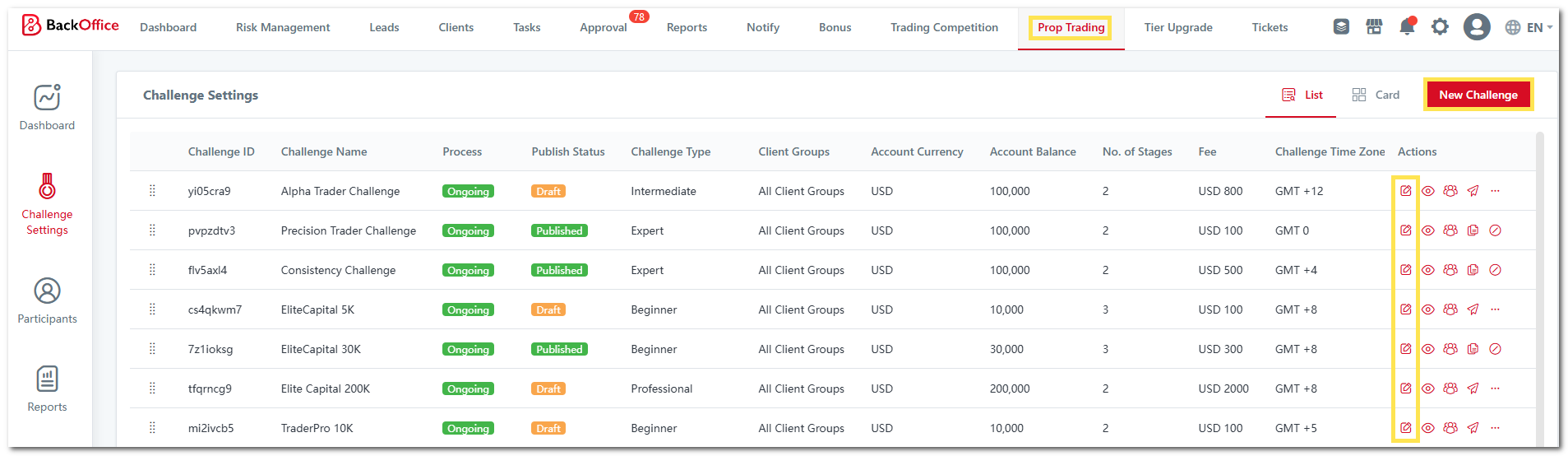
1. Go to "**Prop Trading**".
2. Click "**New Challenge**" or locate the challenge you wish to edit and click the "**Edit**" icon.
{% endstep %}
{% step %}
#### Configure Commission Settings
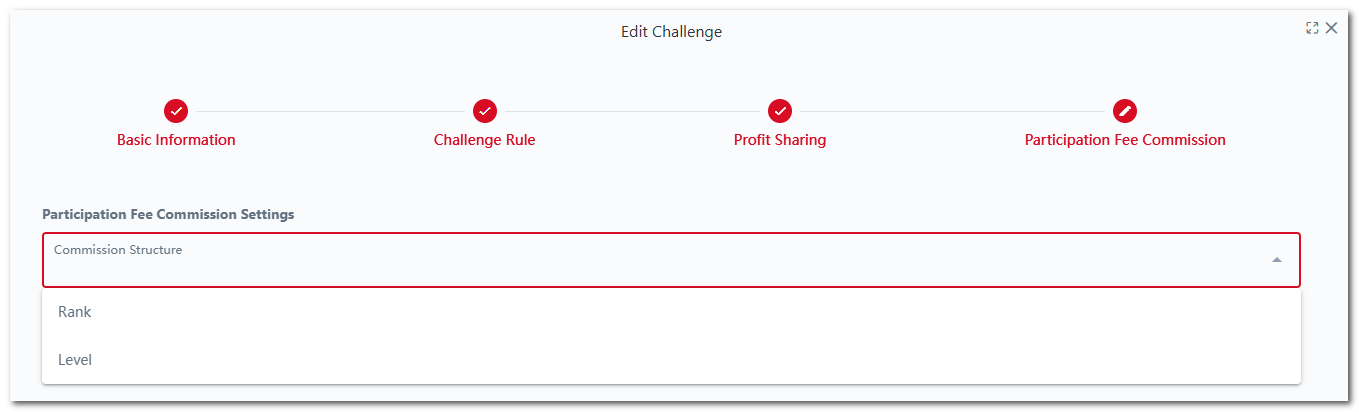
1. Go to "**Participation Fee Commission**".
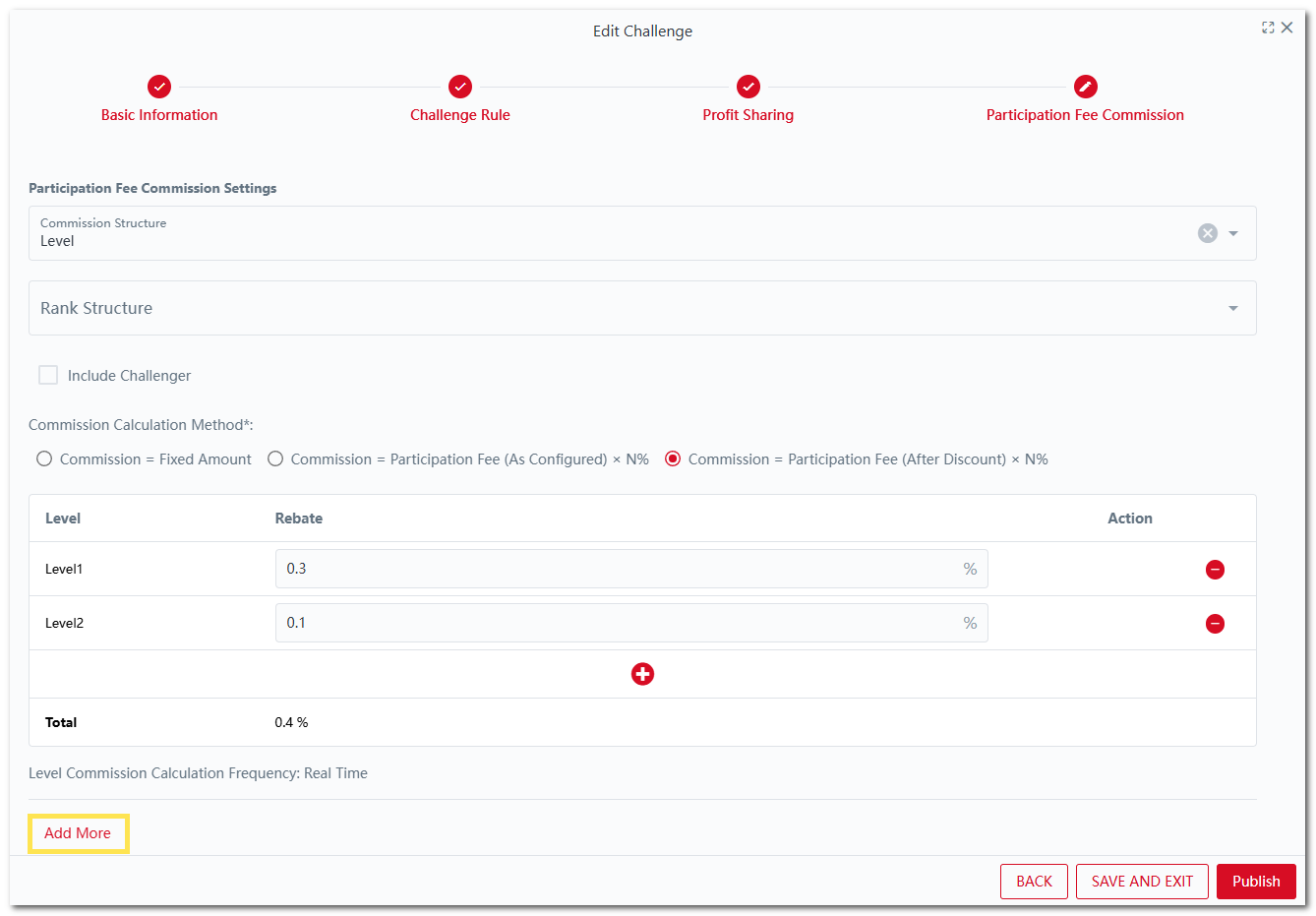
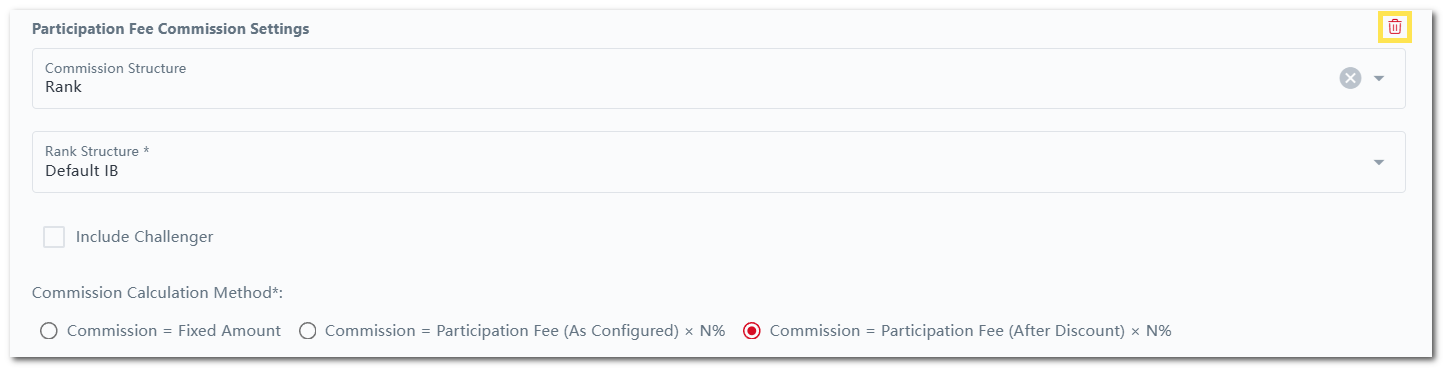
2. Select the "**Commission Structure**" - Level or Rank.
3. Fill in the respective details.
4. Click "**Add** **More**" to add another commission scheme.
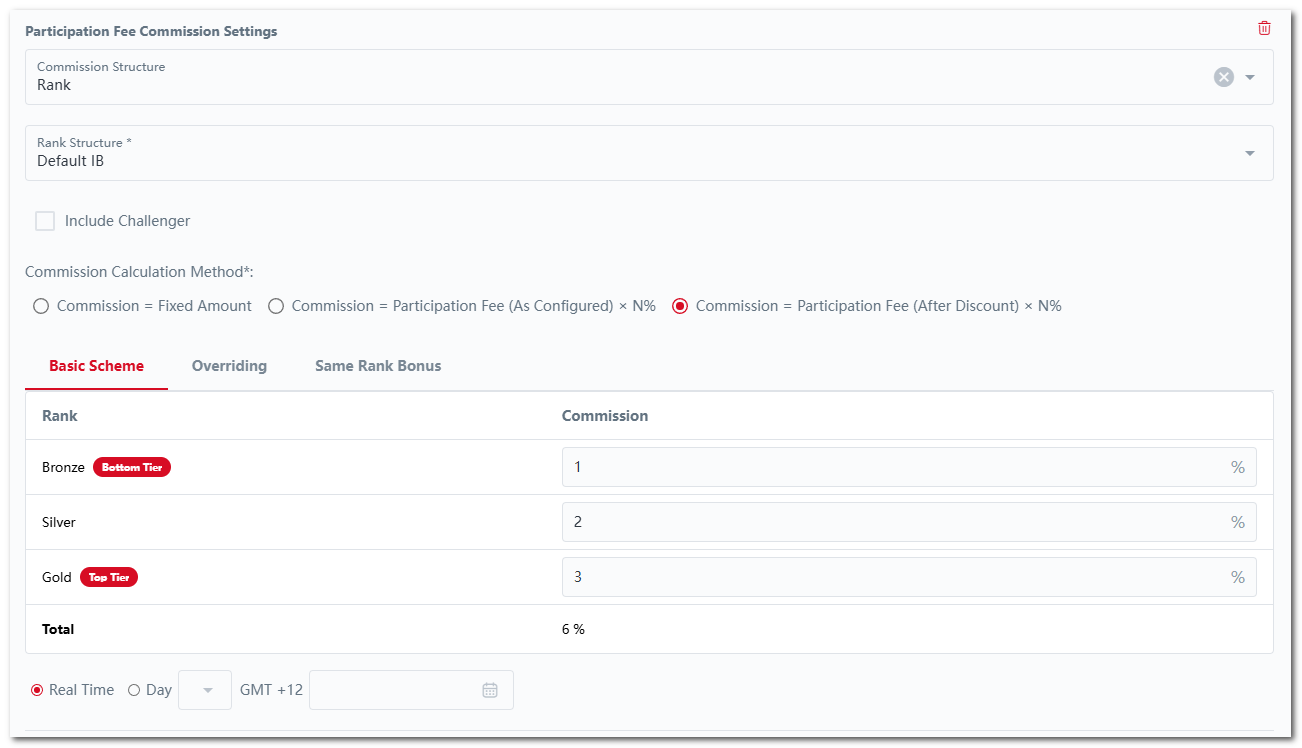
5. Select the "**Commission Structure**", "**Rank Structure**" and fill in the respective details.\
6. To delete a commission structure, simply click the "**Delete**" icon.
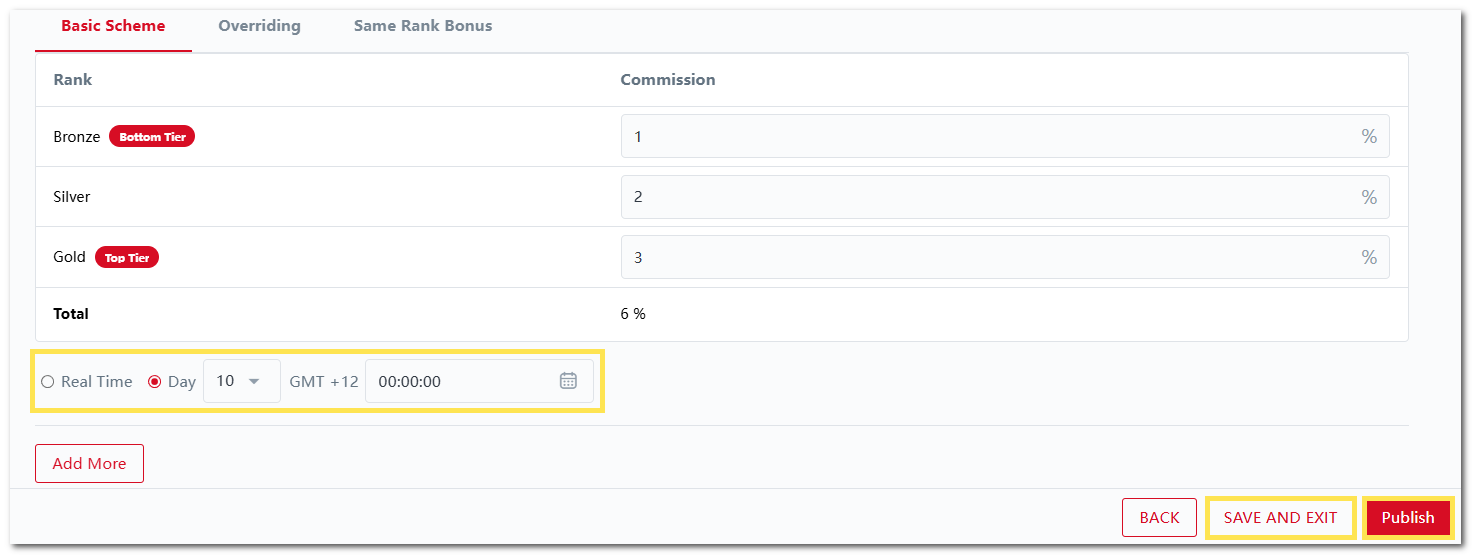
7. For the Rank Commission structure, you can choose to pay commissions real-time or on a monthly basis.
1. For monthly payouts, simply select the day of the month and time for the commission to be distributed.
2. The payout will follow the challenge time zone by default and cannot be changed.
8. Click "**SAVE AND EXIT**" to save your changes or "**Publish**" to publish your changes now.
9. Once published, IB commissions will be payout according to the commission schemes configured.
{% endstep %}
{% endstepper %}
#### B) Prop Commission Report
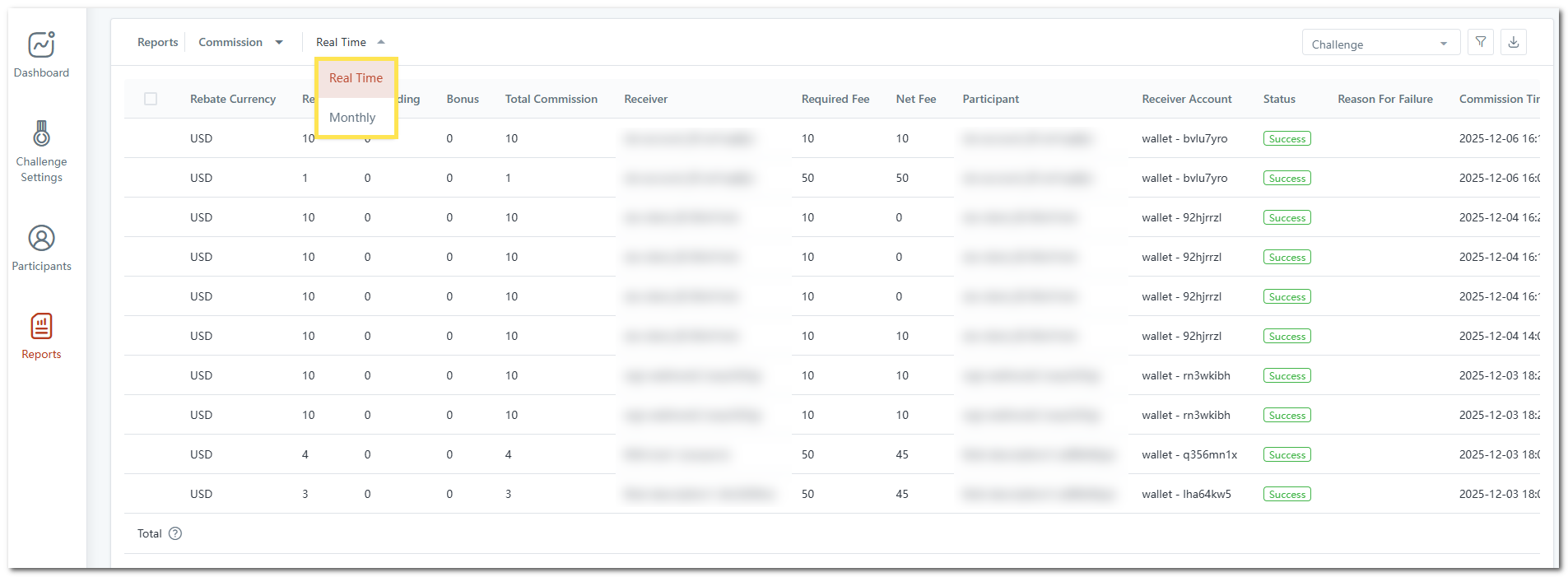
1. In the Prop Commission Report, you can use the dropdown menu to switch between "**Real Time**" and "**Monthly**" commission views.
2. The commission payout records will be displayed according to the selected option.
3. This applies to both Prop Commission Report in Back Office Portal and Client Portal:
### 2) Smarter Deposit Calculations
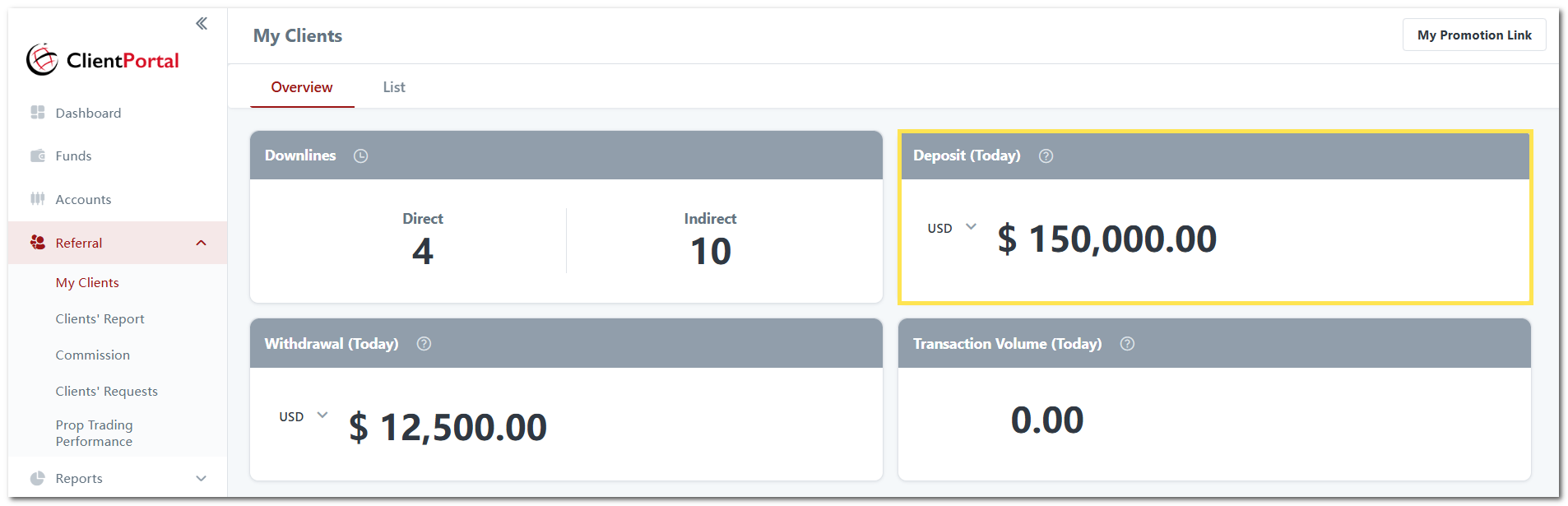
1. To improve data clarity for brokers running prop challenges, the dashboard now highlights client-funded deposits as a dedicated figure, separated from company-funded prop challenge deposits. This provides cleaner visibility into live funding activity without mixing different deposit sources.
2. This applies to:
1. Client Portal > Referral > My Clients > Overview
2. Back Office Portal > Dashboard
### 3) Prop Participant Referral Insights
1. In the Participants report, you can now see the referring IB of each prop challenge participant.
2. You can also filter by referrers to review referral performance and client acquisition effectiveness.
### **4) Enhanced Prop IB Commission Reporting**
#### A) **Fee Breakdown Clarity**
IB commission records now include both the original prop challenge fee and the fee collected after discounts, giving a more accurate view of revenue and payout calculations.
#### **B) Summation Bar**
Total fees collected and total IB commissions are displayed at the bottom of the report, allowing for quicker financial checks and easier reconciliation.
1. To view these totals, simply click "**Total**".
2. The system will display the aggregated values.